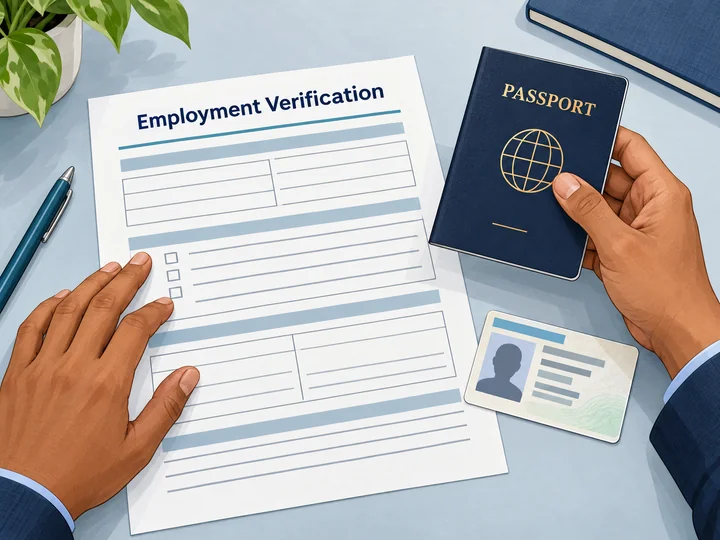
Employee and HR specialist reviewing identification documents together

Employment Eligibility

I-9 Verification, Connected to Onboarding

Bring Form I-9 into the onboarding journey: guide the employee through Section 1, assign document review, and see the next case task in one workspace.

IDC / I-9 VERIFICATIONEmployer review
FORM I-9 CASE

Document review

Action needed
  1. 01Employee Section 1Information and attestation signedComplete
  2. 02Document examinationAuthorized reviewer actionOpen
  3. 03Employer Section 2Review details and signNext
Worksite assignedCase history retained

Employee Section 1

Information and attestation in a guided path.

Document Review

Examination by an authorized person.

Employer Section 2

Review details and complete the employer step.

Case Record

Access signed forms and case activity.

Screening & Onboarding

Screen the hire. Connect the onboarding steps.

Review screening results, complete Form I-9, and follow E-Verify where enabled, with distinct tools for each part of your onboarding.
RECORDS & RESULTS

Background checks

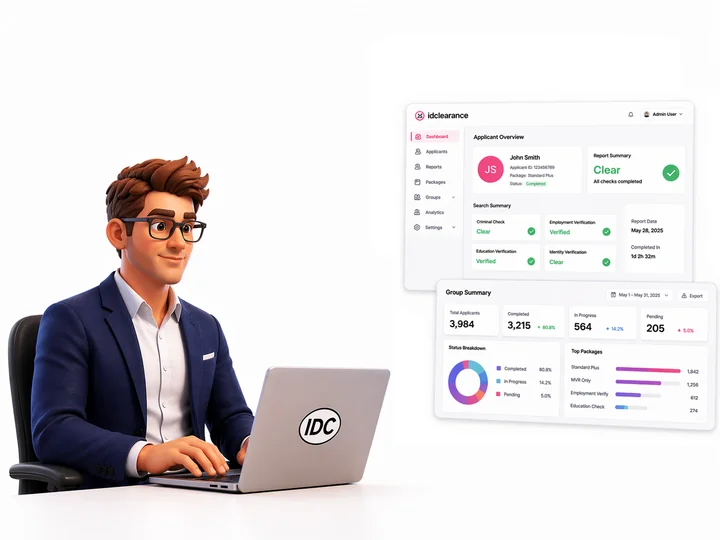
Illustration of an IDC screening workspace with criminal, employment, education, and identity review summariesReview Screening Results
EMPLOYEE-TO-EMPLOYER HANDOFF

Form I-9

Illustration of hands reviewing an employment verification worksheet, passport, and generic identification cardCollect and Sign Form I-9
CASE STATUS & FOLLOW-UP

E-Verify

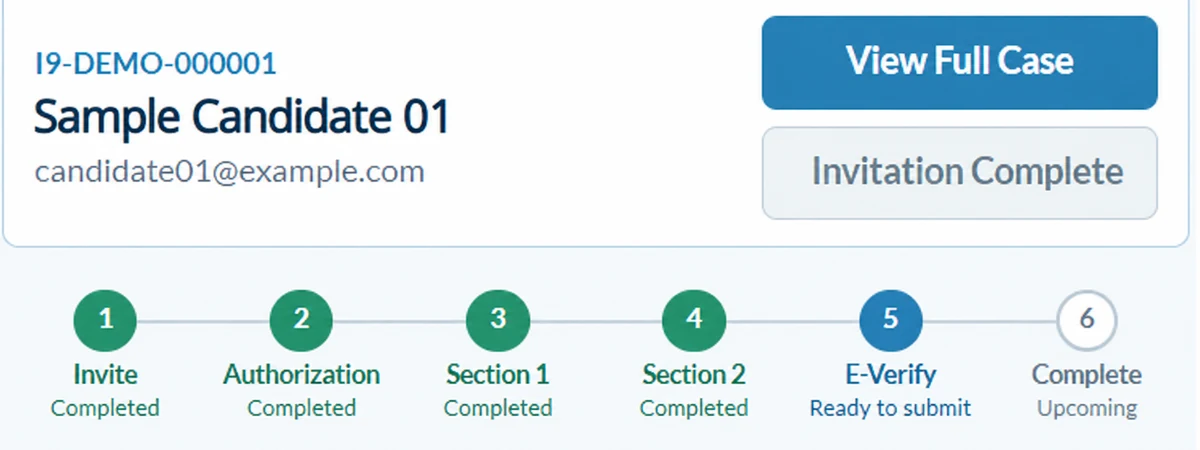
Anonymized IDC case workflow showing completed I-9 sections and E-Verify ready to submit, not an authorization resultTrack E-Verify Follow-Up

I-9 Workflow

From Invitation to Completed Form, Streamlined

Follow each person's task from the invitation through the signed Form I-9.

Start in the Candidate Portal

The candidate opens their invitation in the portal.

Complete Section 1

The candidate enters their information and signs.
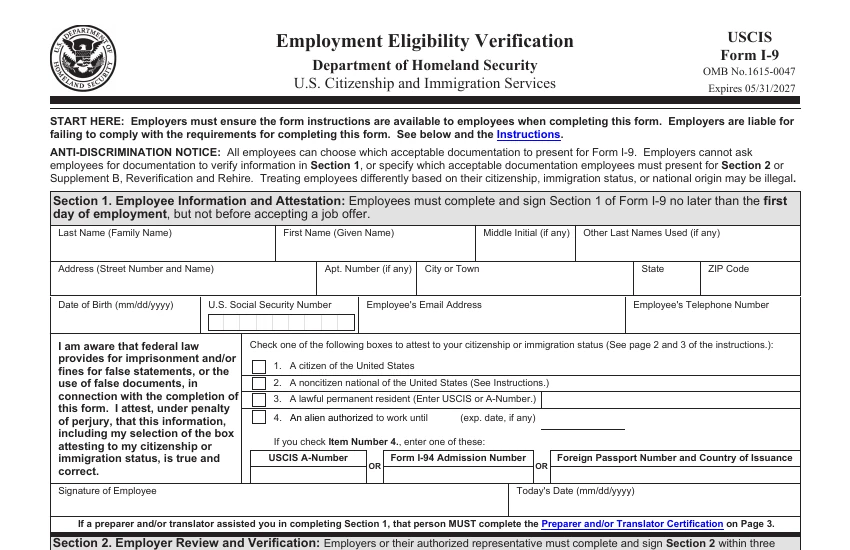
Top half of blank Form I-9 showing the employee information and attestation in Section 1

Review the Documents

The reviewer examines the chosen documents.

HR reviewer examining a candidate's identification document

Complete Section 2

The employer records document details and signs.

Employer representative signing an onboarding document on a tablet

Access the Completed Form

Retrieve the signed form with its case history.

Illustration of organized case forms retained in a folder with a history divider

Fast, Compliant Screening Done Right

Run A Check

The Employee Experience

A Clear Path Through the Candidate Portal

Give new hires a focused mobile experience to open their invitation, enter their own details, and review before signing.

ID ClearanceForm I-9
YOUR INVITATION

Complete your Form I-9

Your employer has invited you to complete the employee section of Form I-9.

YOUR TASKEmployee Section 1Ready to start
Complete Section 1 by your first day of employment.
Start Section 1

Your employer reviews your chosen documents next.

Candidate-to-Employer Handoff

From Candidate Portal to Employer Review

Put signed Candidate Portal submissions in the reviewer's hands, with the assigned owner and Section 2 task visible in IDC.

1) CANDIDATE PORTAL

Bring Portal Submissions Into the Case

Signed Section 1 details are ready for employer document review.

2) ASSIGNED REVIEWER

Identify the Assigned Reviewer

The assigned reviewer examines documents and records the review.

3) CONNECTED CASE

Finish the Handoff in One Case

Save document details with the signed employer Section 2.

Candidate and HR specialist reviewing the onboarding handoff together

Choose the Review Path for Each Worksite

1) ON-SITE

Employer representative

Your on-site team reviews
documents and signs Section 2.

In-person review
2) ANOTHER LOCATION

Authorized representative

A nearby representative reviews
documents and signs Section 2.

In-person review
3) CONDITIONAL

Remote examination

Eligible employers follow DHS rules;
confirm IDC worksite support.

Confirm eligibility first

The employer remains responsible for the form. Working remotely alone does not make a case eligible for remote examination; arrange physical examination when the alternative procedure is unavailable.

Deadlines & Next Actions

Know what's due and who moves it forward.

Spot approaching deadlines and open tasks across your register. Identify the case owner before opening work that needs attention.

Keep Each Case Moving

Status
See Section 2 Due or I-9 Complete.
Owner
Identify the assigned case reviewer.
Open tasks
Check what still needs attention.
Next deadline
Prioritize the case by its displayed due date.

Use the register to prioritize cases for your review team.
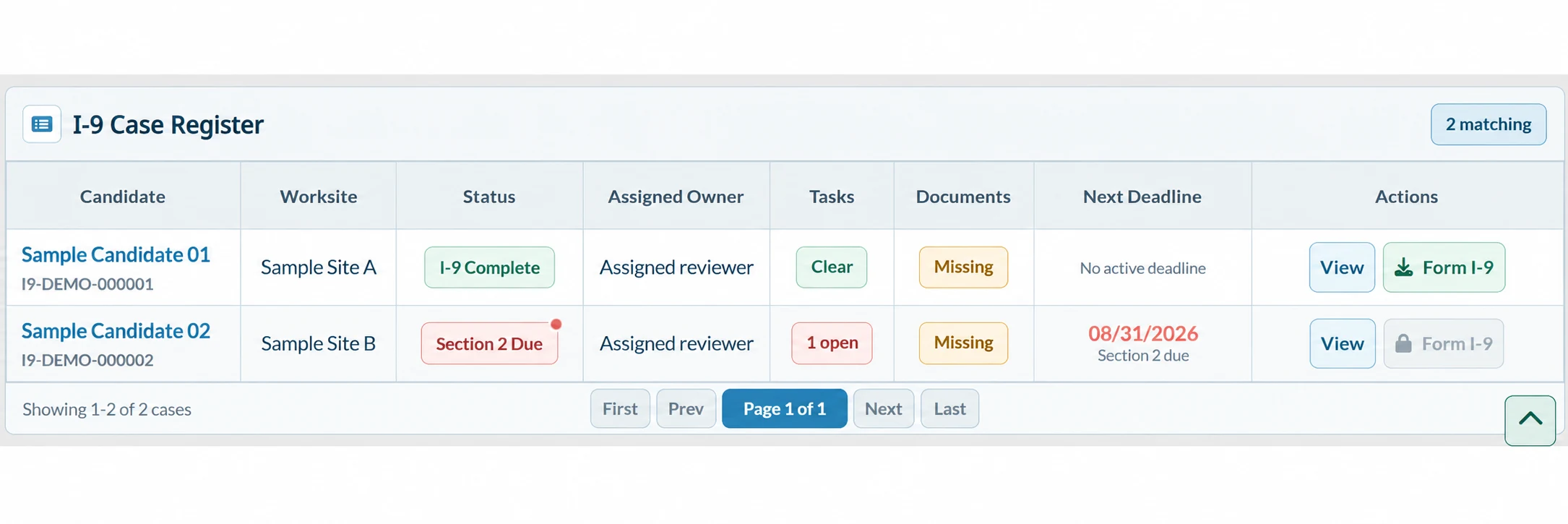
Anonymized IDC I-9 Case Register showing case status, assigned owner, open tasks, document status, deadlines, and form actions
IDC Case Register: status, assigned owner, open tasks, document availability, and next deadline. Sample cases shown.

E-Verify in the Case Workflow

Case Status

E-Verify Status and Follow-Up

Outstanding ItemsWhere enabled, see the E-Verify case status,
notices, and employee responses in IDC.
Next ActionCheck the notice and response to identify the permitted follow-up.

Availability depends on program setup, employer enrollment, and worksite support.

HR specialist reviewing case information at a workstation

Employer Workspace

One Employer Case View

Open a case to review submitted information, document tasks, and signed records.

IDC / I-9 VerificationsSample case · New hire 02
Case Workflow4 views
CASE DETAILS

Section 1 received

Review needed
Status
Section 1 complete
Assigned Owner
Assigned reviewer
Worksite
Boston, MA
Next Required Action
Open document review
Employee Section 1Signed and received

The reviewer takes over from the Candidate Portal.

Exceptions & Employee Rights

Trace Corrections and Candidate Responses

Review signed revisions, response details, and unresolved follow-up.

1) CORRECTION HISTORY

Follow the Correction History

Revision
Review the updated Section 1 or Section 2.
History
See prior signed versions and the correction reason.
Next action
Review the revised details before continuing.
Form I-9 correction guidance
2) E-VERIFY WHEN ENABLED

Review the Candidate Response

Notice
See the retained notice and its notification status.
Response
Review the candidate's decision and referral due date.
Next action
Check unresolved responses and rights holds before proceeding.
E-Verify mismatch process

Reverification & Rehire

Supplement B, in the same case.

Handle a rehire, reverification, or name change in Supplement B while preserving the original signed Form I-9.

  • Choose the follow-up action.
  • Enter the relevant date or document details and representative.
  • Review the signed entry with the case history.

The employer determines when follow-up is required.

Review USCIS Form I-9 instructions
IDC / I-9 VerificationsIllustrative workspace
CASE RECORD

Supplement B

Section 2 complete
RehireReverificationNew Name
Document title
Employment authorization document
Document number
Masked in case view
Representative
Assigned reviewer
View ReverificationSigned entry retained with the case

Records & Audit Readiness

Find the form. Follow the history.

Retrieve signed forms and case summaries, then trace who acted, what changed, and when in the audit history.

Your team sets retention and disposal under applicable requirements.
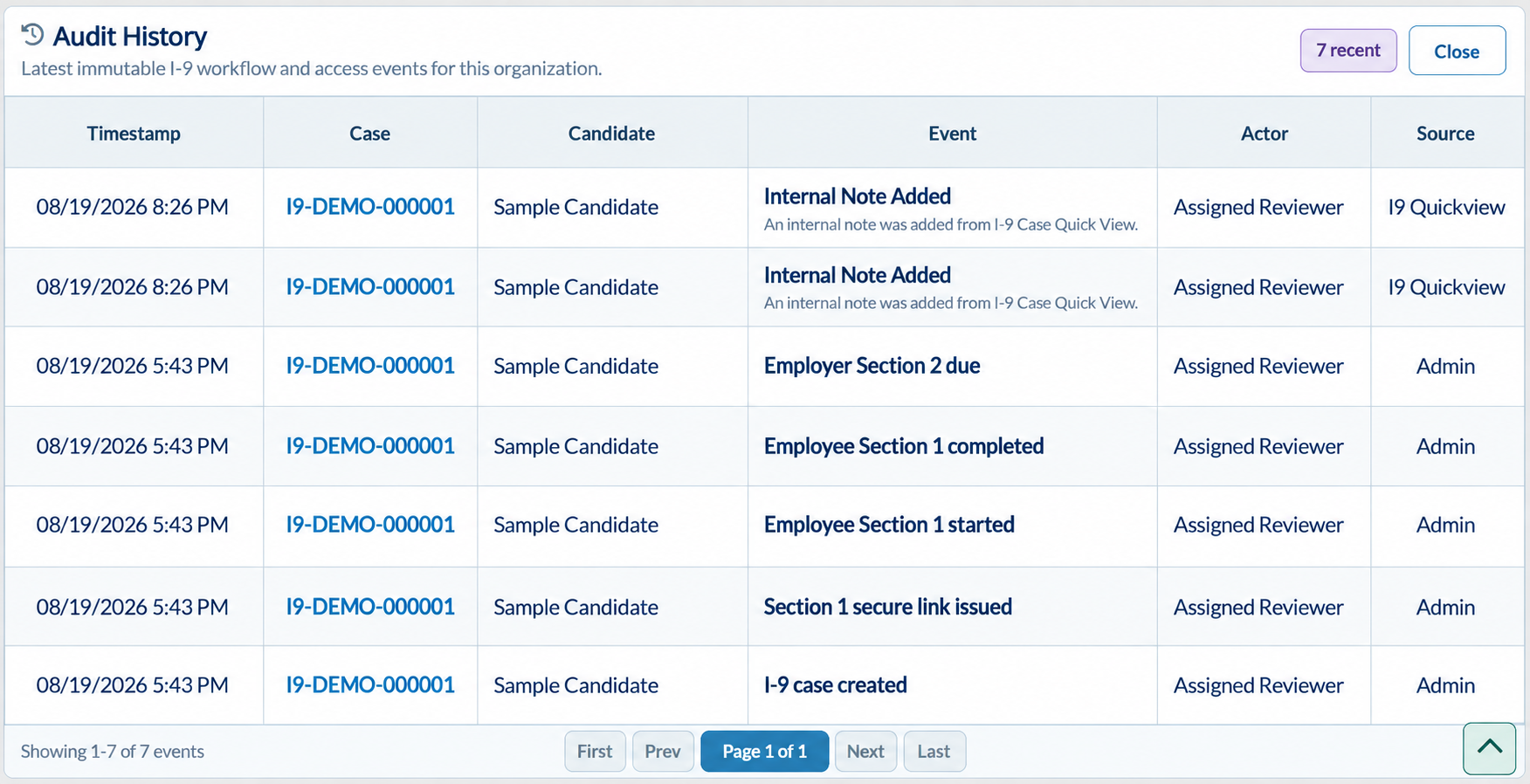
IDC Audit History showing case events, timestamps, sample candidate, assigned reviewer, and event source

Build an I-9 process around your worksites.

Common Questions

Your I-9 Questions, Answered

Worksites, reviewers, and next steps in IDC.
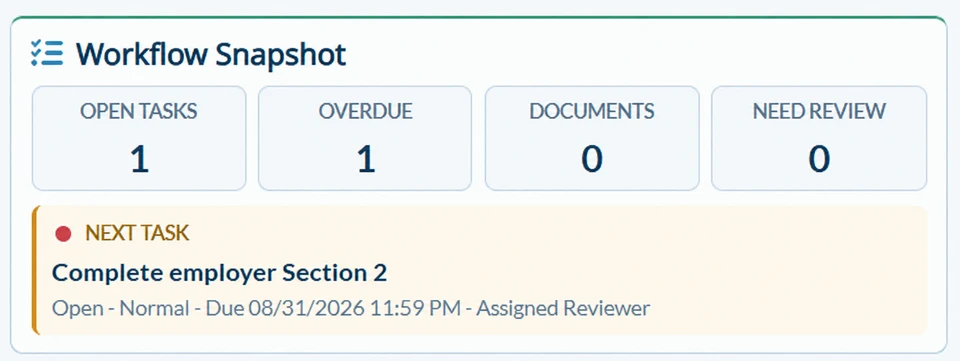
Anonymized IDC Workflow Snapshot showing open tasks, overdue work, documents, and the next employer Section 2 task
Who completes each part of Form I-9?

The candidate signs Section 1; the employer or authorized reviewer completes Section 2.

When do the first two sections need to be completed?

Section 1: first day. Section 2: within 3 business days, with exceptions.

Can document examination happen remotely?

Use DHS-authorized remote review if eligible; otherwise, review in person.

Is E-Verify the same as Form I-9?

No. E-Verify follows Form I-9 and is available where enabled and properly enrolled.

Who can examine the employee's documents?

An authorized reviewer examines documents; the employer remains responsible.

How long must Form I-9 be retained?

Keep forms for 3 years after hire or 1 year after employment ends, whichever is later.

What happens after the initial form is complete?

Keep applicable rehire, reverification, and case history together.

Real-time Background Checks

Run A Check