Notice Packet
Review the report and rights materials.

Adverse Actions
Coordinate notices, response windows, candidate communication, and documented decisions when a background report raises a concern.
Review the report and rights materials.
Follow delivery, deadlines, and disputes.
Keep the decision with your authorized team.
See notices, actions, and resolution together.
When It Applies
An adverse-action process may be needed when information in a background report contributes to a decision not to hire, promote, retain, or reassign a person. The employer makes the decision; IDC supports the related notice and case workflow.
Each stage stays connected to the report, candidate response, and next permitted action.
Confirm the candidate, linked report, role, reason for review, and applicable procedure.
Review the recipient, report copy, Summary of Rights, and required notices before an authorized send.
Follow the recorded deadline, delivery status, candidate response, and any open dispute or hold.
An authorized reviewer considers the full case before continuing, closing, or sending a final notice when permitted.
Employer Visibility
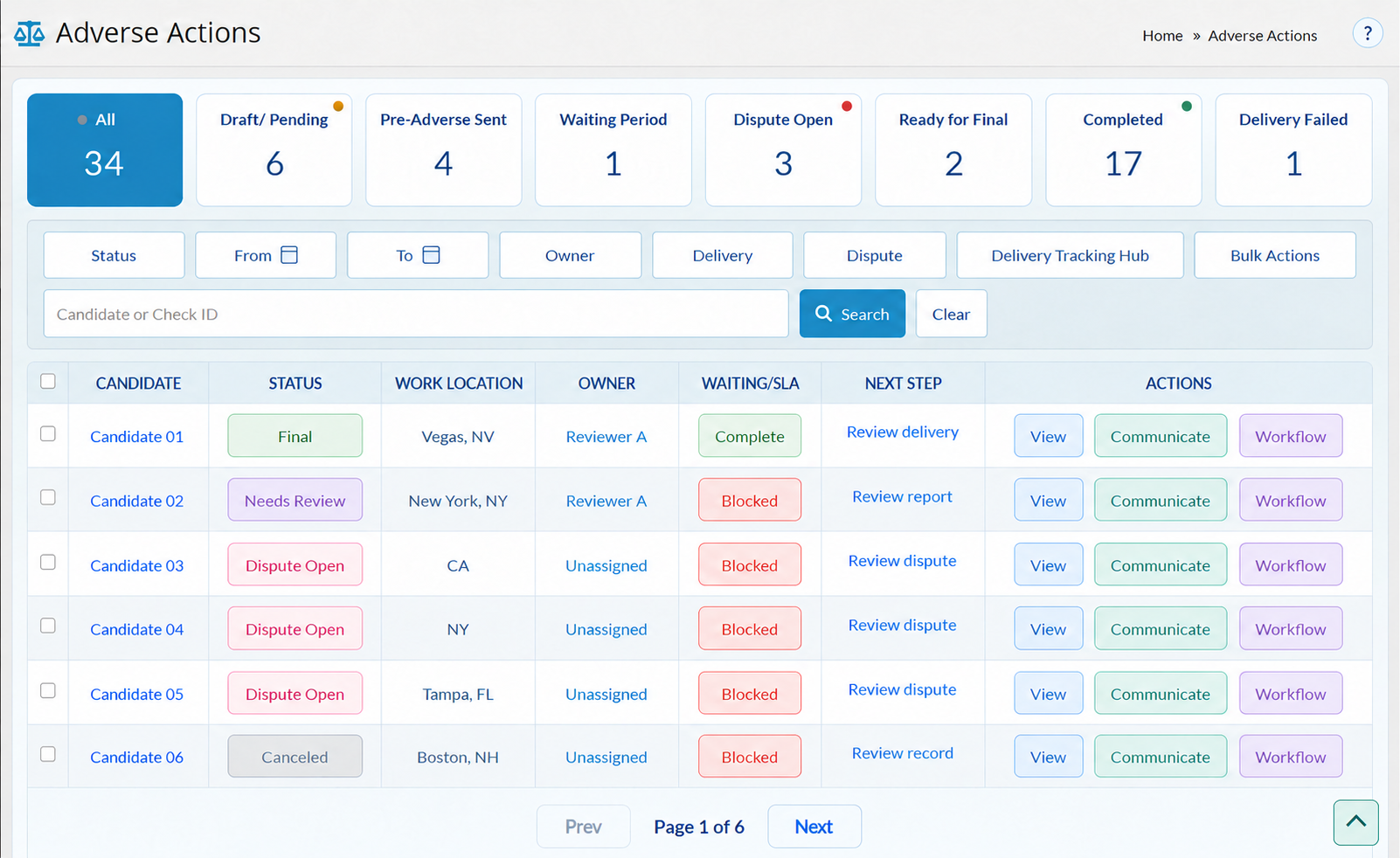
IDC's Adverse Actions workspace brings case status, notice delivery, waiting deadlines, candidate responses, and audit records into the review path.
Next step: Confirm delivery and follow the response window.
Next step: Review the notice record, deadline, and candidate response.
Next step: Review the dispute and any updated report before proceeding.
Next step: An authorized reviewer decides whether final action is appropriate.
Candidate Response
Candidates can review their report, share context or dispute an item, and have their response considered.

The candidate receives the notice and report materials needed to identify a possible error.
The candidate can explain or dispute report information. An open dispute holds the case before a final notice.
The case keeps the response and any report update visible to the authorized reviewer.

Human Decision
Ready for Final means the case is ready for review, not that a decision has been made. Your authorized team decides what happens next.
Keep notices, delivery, candidate responses, reviewer actions, and the outcome together in the case record.
Program Controls
Notice content and waiting requirements can vary by location and employer policy. Confirm requirements with counsel and configure the program before use. IDC can discuss how case status and notices connect to your broader screening workflow.
Discuss Your Program ->Bring the case, notice status, and responsible people into the same review path.
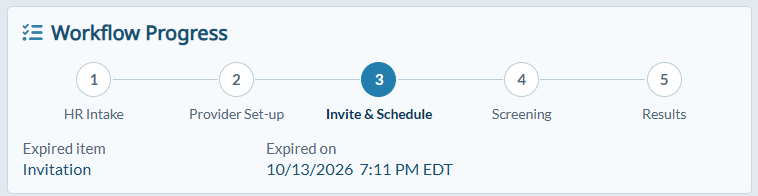
Built for Your Program
Keep a report concern, candidate response, and next
action connected before the employer decides.
Review the information relevant to a proposed change
in role and follow the applicable process.
Keep notice history and response details available
when a current worker's report requires review.
Inside the Workspace

Review case status, owner, waiting deadline, and next action in one workspace. Filter by stage or owner to focus on the cases that need review.
Review the recipient, report copy, Summary of Rights, and applicable notice materials together before an authorized send.
Follow notice status and history in the case record. Failed delivery remains visible so an authorized reviewer can address it before retrying.
The case shows its recorded waiting deadline and any open blocker alongside the notice and candidate response status.
Candidate explanations and dispute details stay with the linked case for an authorized reviewer to consider.